
Screenshots

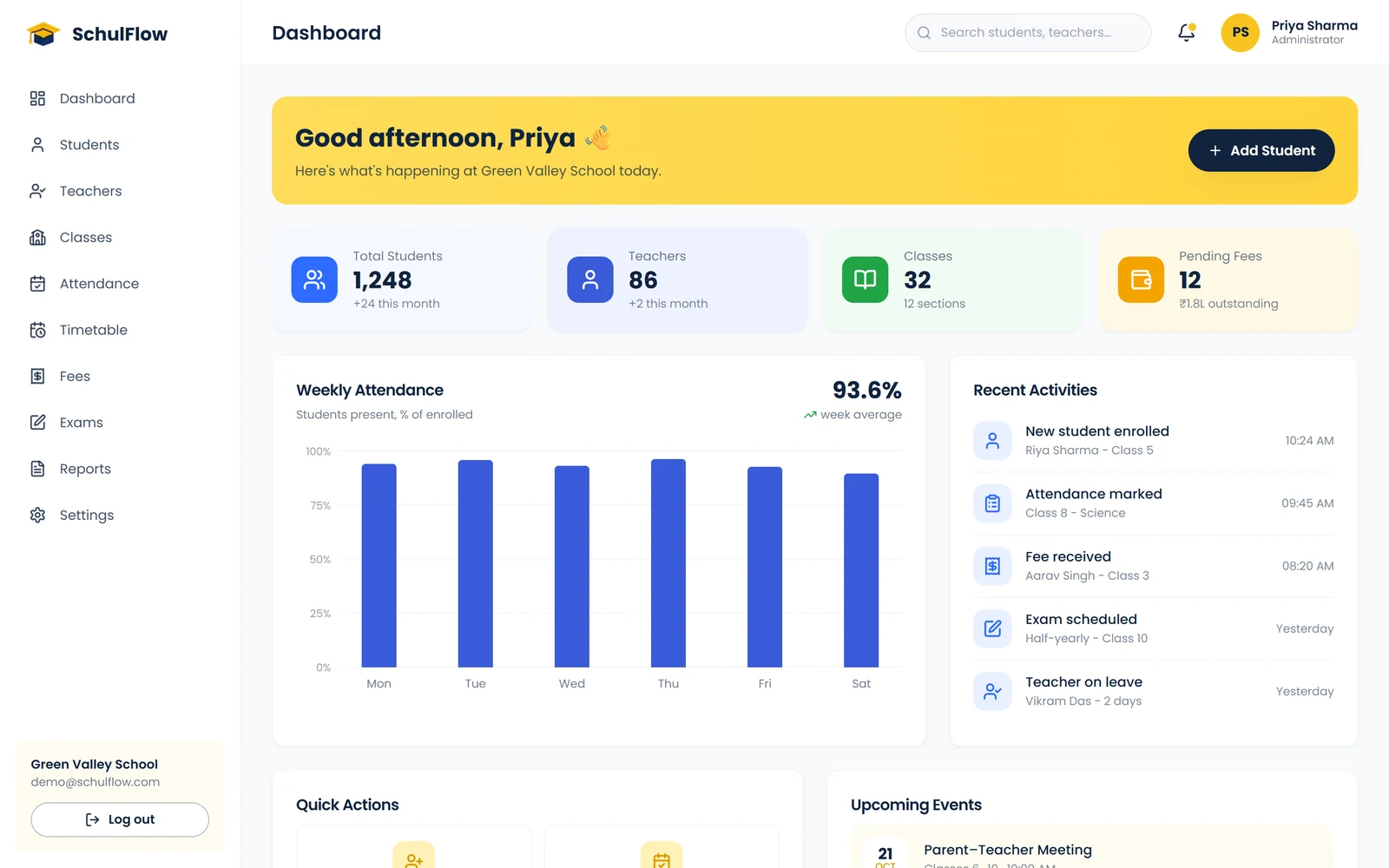
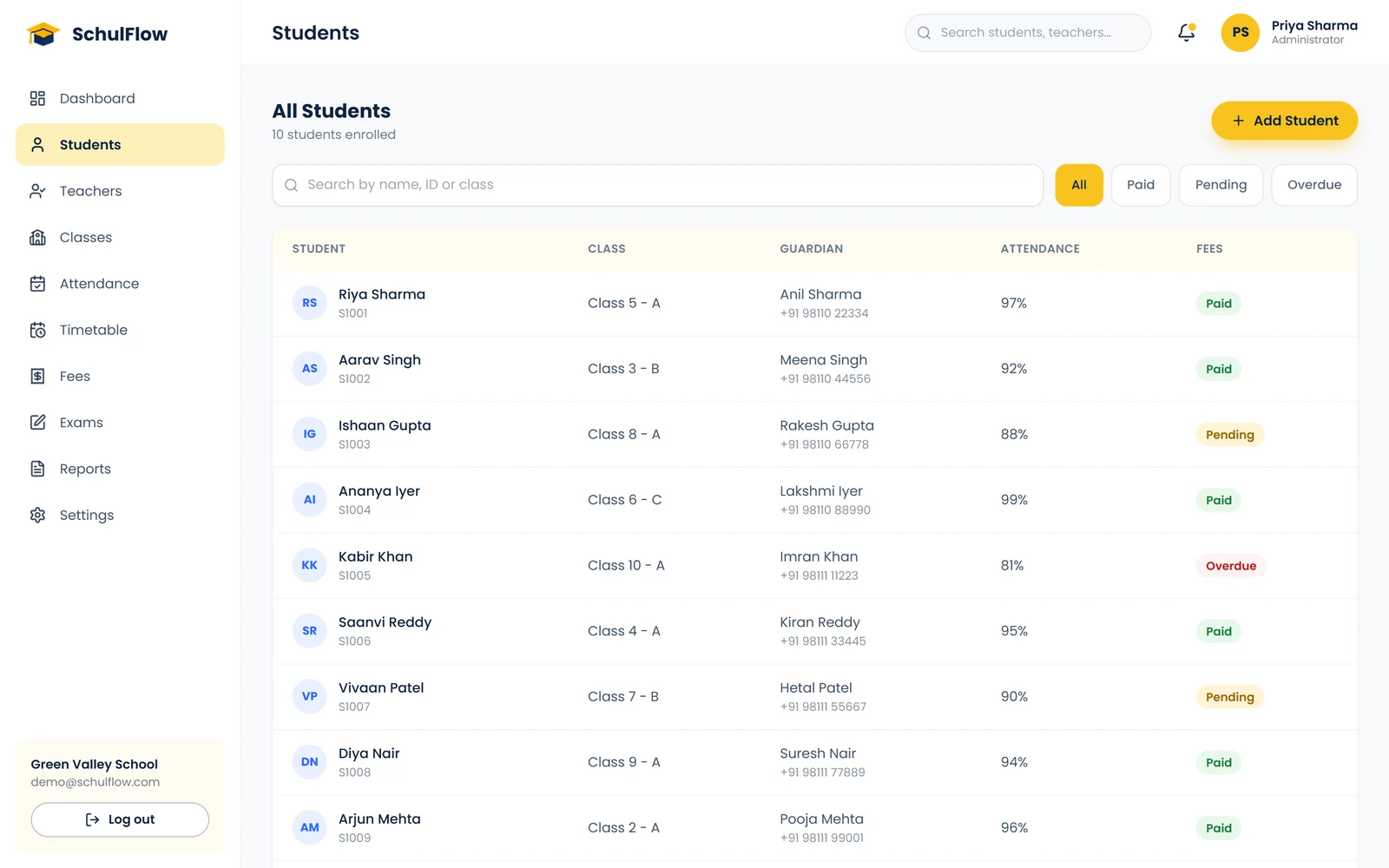
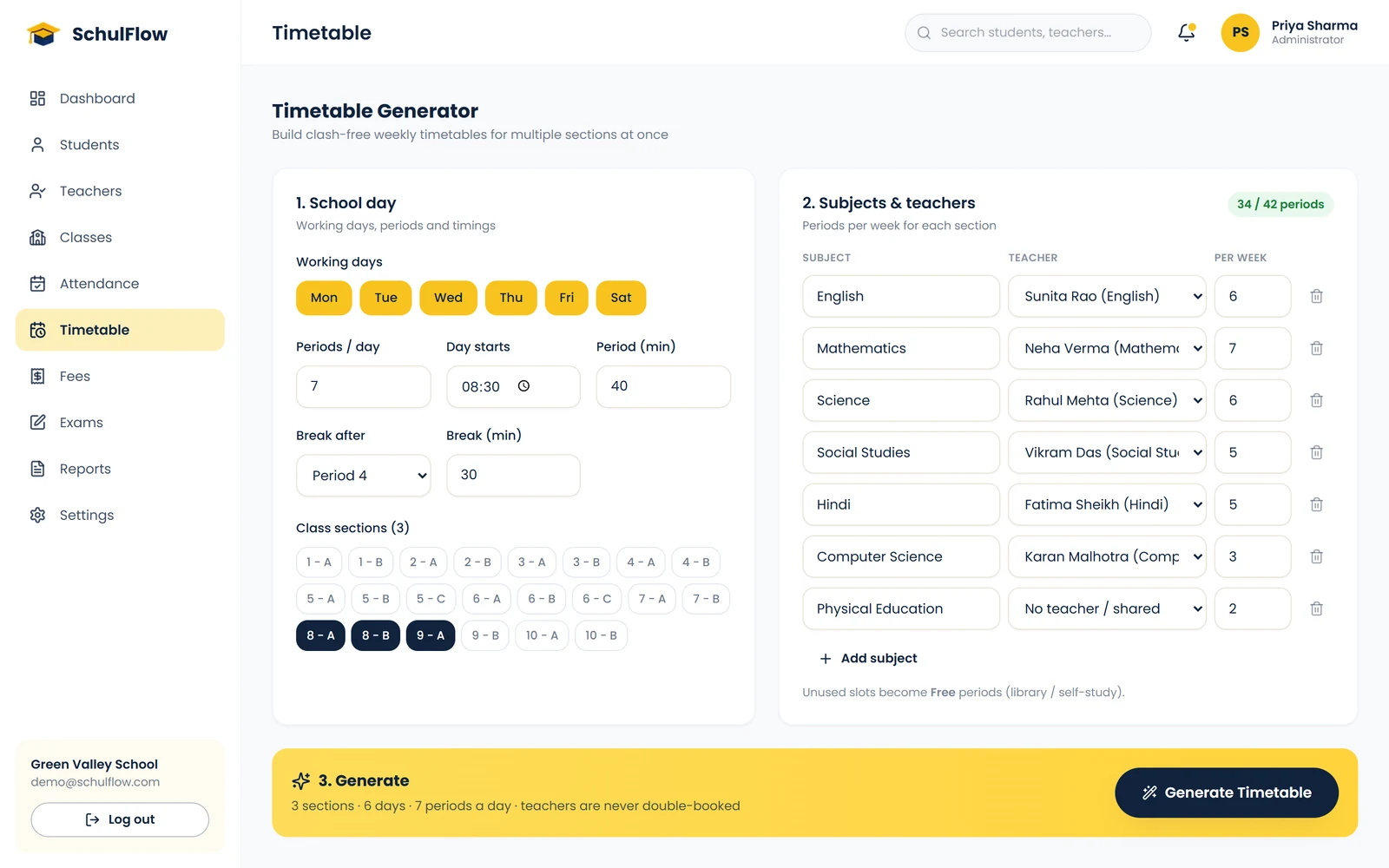
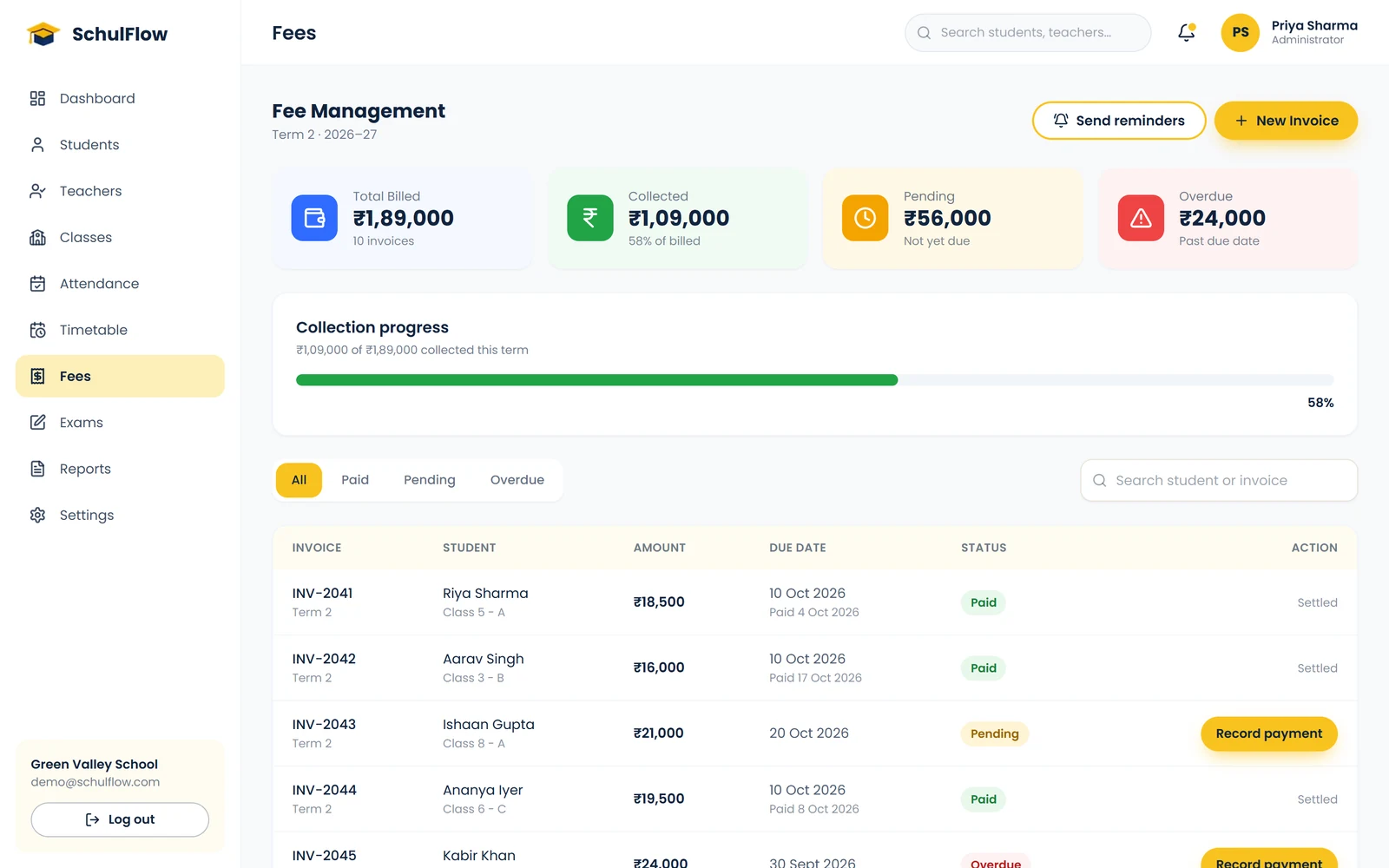

Click a screenshot to open it full size, or explore everything in the live preview.
Quick start
You need Node.js 20 or newer and npm. Clone the repository, install the dependencies and start the dev server:
git clone https://github.com/codespanda/schulflow.git
cd schulflow
npm install
npm run dev
Then open http://localhost:5173. Changes reload instantly. You can also download the code as a ZIP from GitHub (Code → Download ZIP).
Scripts
npm run devStart the Vite dev server with hot reloadnpm run buildBuild the production site into dist/npm run previewServe the built dist/ folder locally to check itProject structure
Built with Vite and JavaScript. The parts you'll work in most:
src/
  pages/               Home, Features, Pricing, About, Contact, Login, Signup, NotFound
    dashboard/         Overview, Students, Teachers, Classes, Attendance,
                       Timetable, Fees, Exams, Reports, Settings, ComingSoon
  components/
    sections/          Header, Hero, Features, Operations, WhyChoose,
                       Testimonials, CallToAction, Footer
    dashboard/         DashboardLayout (sidebar and top bar), BarChart, shared UI
    ui/                shadcn/ui primitives: button, card, sheet, switch, accordion…
  context/AuthContext.jsx   Signed-in user and route guards
  lib/
    auth.js            Mock auth service (localStorage) with the demo account
    timetable.js       The clash-free timetable generator
  data/school.js       Students, teachers, classes, invoices, exams, results, charts
  App.jsx              Website, auth and dashboard routes
  index.css            Theme colors as CSS variables
tailwind.config.js     Tailwind theme
scripts/spa-routes.mjs Writes a real page for every route on GitHub Pages
Customise the content
src/data/school.jsSample school data: 10 students, 6 teachers, 10 classes, 10 invoices, 4 exams with schedules and results, plus attendance, fee and activity data for the charts. Swap it for API calls when you add a backend.src/lib/auth.jsA mock auth service that keeps accounts in localStorage so the sign-up → dashboard flow works without a server. Demo login: demo@schulflow.com / demo1234. Replace each function with a call to your API before going live.src/pages/Pricing.jsxThe Starter, Standard and Premium plans, prices and FAQs.public/images/Logo, hero visual, classroom photo and avatars.index.htmlThe page title, description and favicon.Colors and theme
src/index.css + tailwind.config.jsColors are CSS variables in index.css (the yellow brand is --primary: 45 95% 55%), mapped to Tailwind in tailwind.config.js together with the navy text color and fonts. The shadcn/ui components pick them up.Pages and routing
React Router 6: src/App.jsx has three groups of routes — the public website inside a shared layout, Login and Signup (GuestOnly redirects signed-in users), and /dashboard/* behind RequireAuth. Dashboard links you haven't built yet show a Coming Soon page.
Deployment
npm run build writes a static site to dist/, so it runs on any static host. The repository is set up for GitHub Pages:
- 1In the repository, open Settings → Pages and set Source to GitHub Actions.
- 2Push to the default branch. The workflow in .github/workflows/ builds the site and publishes it.
- 3The workflow sets VITE_BASE from your Pages settings: '/' for a custom domain, '/<repo>/' for a github.io address. To use your own domain, add it under Settings → Pages → Custom domain.
npm run build with output folder dist.Good to know
- The contact form shows a confirmation but doesn't send anything. Connect it to a form service or CRM in src/pages/Contact.jsx.
- Every page shares the title set in index.html. For better SEO on the website pages, give each its own title and description.
License
SchulFlow is free and released under the MIT license. Use it for personal and commercial projects, including client work, with no attribution required beyond keeping the license notice in the code.